
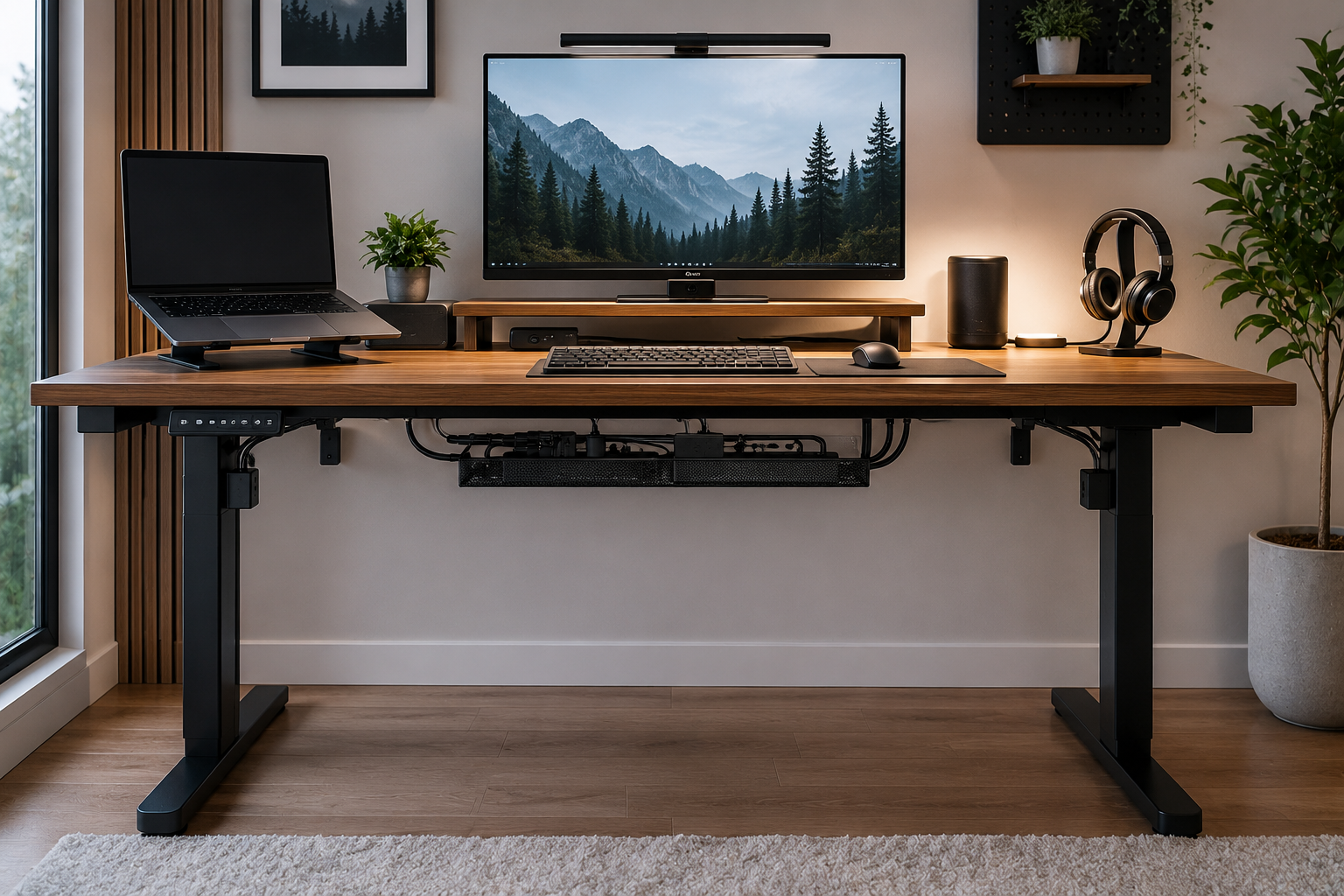
A messy home office can quickly become distracting, uncomfortable, and difficult to maintain.
One of the biggest causes of visual clutter is unmanaged cables underneath the desk. Power strips, monitor wires, charging cables, adapters, and extension cords often become tangled over time, creating an unorganized workspace that affects both productivity and aesthetics.
The good news is that under-desk cable management does not require expensive renovations or professional installation.
With the right setup and a few smart organization strategies, you can completely transform the appearance of your workspace while making it easier to clean, safer to use, and more efficient long-term.
In this guide, you’ll learn:
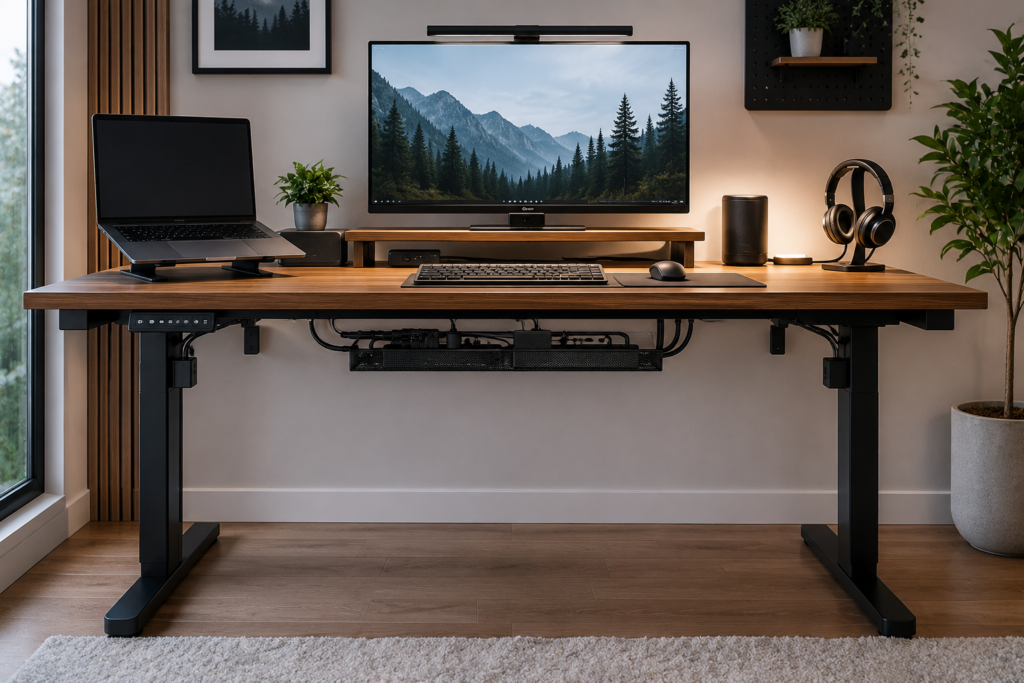
- Why under-desk cable clutter happens
- The most common home office cable problems
- The best under-desk cable management tools
- How to organize power strips and charging cables
- Simple renter-friendly cable solutions
- How to improve airflow and safety around electronics
- Maintenance tips for keeping cables organized long-term
By the end of this article, you’ll know exactly how to create a cleaner, more professional-looking home office setup with efficient under-desk cable management.
Why Under-Desk Cable Clutter Happens
Modern home offices rely on multiple electronic devices.
Most setups include:
- computers,
- monitors,
- docking stations,
- keyboards,
- webcams,
- speakers,
- routers,
- chargers,
- desk lamps,
- power strips,
- and extension cords.
As devices increase, cables naturally accumulate underneath the desk.
Without organization, wires begin:
- tangling together,
- collecting dust,
- blocking legroom,
- creating visual clutter,
- and making cleaning more difficult.
Many people focus only on the visible desktop area while ignoring the cable mess hidden below.
Why Cable Management Matters in a Home Office
Under-desk cable management improves more than just appearance.
A cleaner setup can help:
- improve focus,
- reduce distractions,
- simplify cleaning,
- improve airflow around electronics,
- reduce accidental unplugging,
- and create a more comfortable workspace.
Proper cable organization may also help protect wires from unnecessary wear and damage over time.
Common Under-Desk Cable Problems
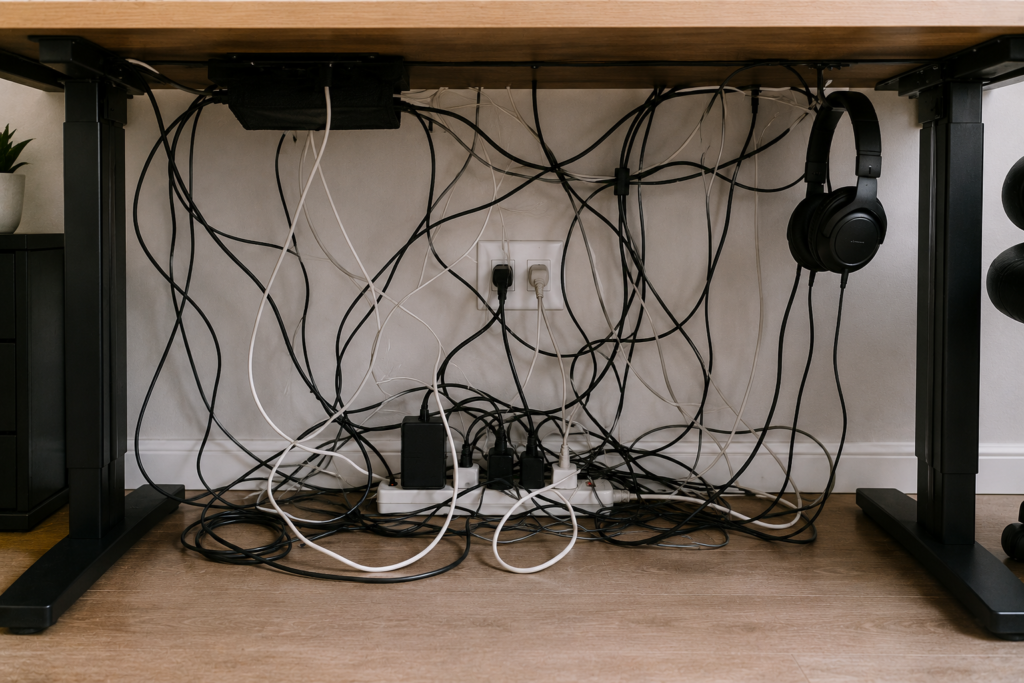
Tangled Power Cords
Power strips often become overloaded with tangled adapters and charging bricks.
Hanging Monitor Wires
Monitor cables hanging loosely below the desk create visual clutter and snag easily.
Loose Charging Cables
Phone chargers and USB cables frequently fall onto the floor.
Excess Cable Length
Unused cable length often creates unnecessary loops and clutter.
Dust Buildup Around Cables
Large cable clusters collect dust very quickly.
Best Under-Desk Cable Management Tools
The right accessories can make cable organization much easier.
1. Under-Desk Cable Trays
Cable trays are one of the most effective cable management solutions for home offices.
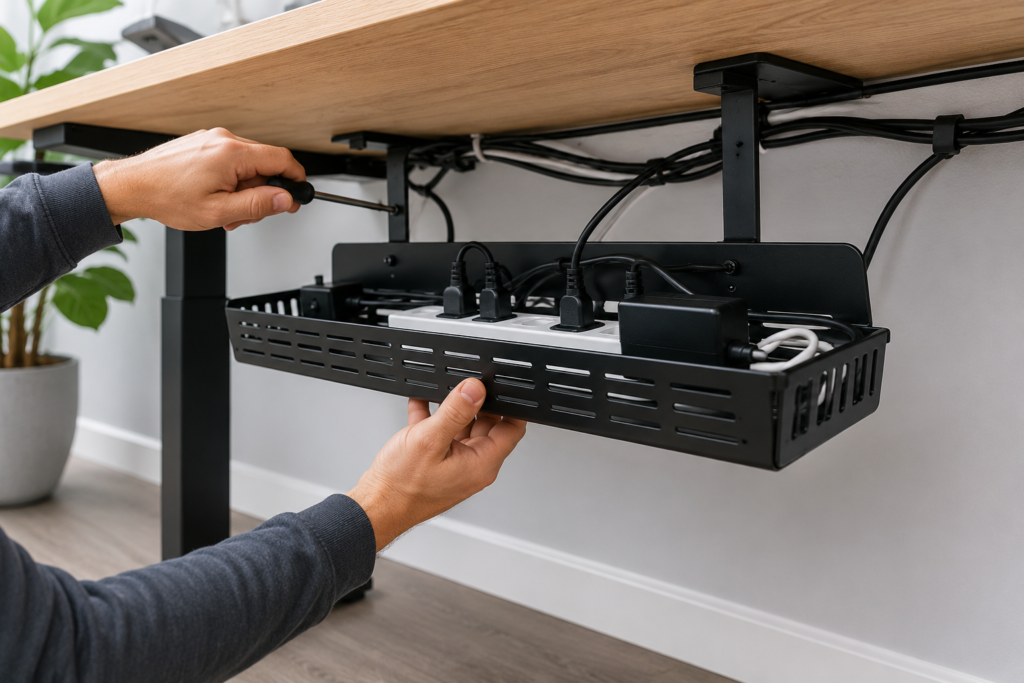
These trays mount underneath the desk and help hide:
- power strips,
- charging bricks,
- adapters,
- excess cable length,
- and bundled wires.
Cable trays instantly create a cleaner look while keeping cables elevated off the floor.
Why Cable Trays Work Well
They:
- improve airflow,
- reduce dust accumulation,
- prevent cables from tangling,
- free floor space,
- and improve accessibility.
Many modern trays install using screws or strong adhesive mounts.
2. Cable Sleeves for Bundling Wires
Cable sleeves organize multiple cables into one clean line.
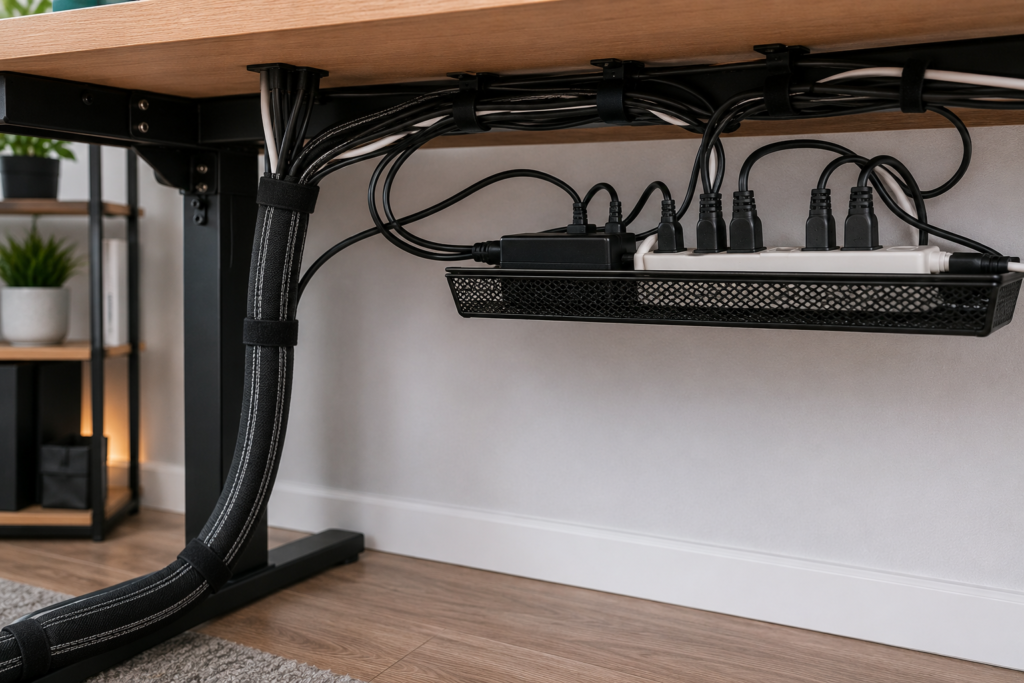
They work especially well for:
- dual monitor setups,
- gaming desks,
- standing desks,
- and workstations with multiple devices.
Instead of several loose wires hanging down, sleeves create a more minimal appearance.
Velcro cable wraps are also popular because they are reusable and adjustable.
3. Cable Clips for Loose Cords
Cable clips help secure charging cables and prevent them from falling behind furniture.
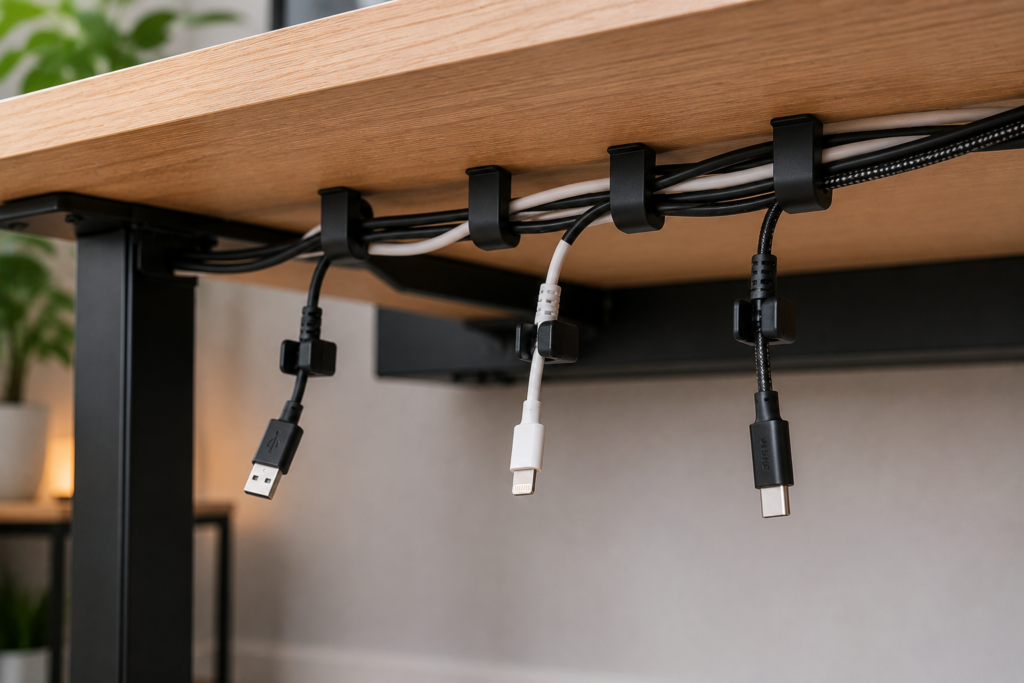
They are commonly used for:
- USB cables,
- phone chargers,
- headphone wires,
- keyboard cables.
Magnetic cable clips are especially popular for modern desk setups.
4. Cable Management Boxes
Cable management boxes hide:
- power strips,
- bulky adapters,
- extension cords,
- and extra wire length.
These boxes improve both aesthetics and safety.
They also help reduce visible clutter around desk legs and wall outlets.
5. Adhesive Cable Channels
Cable channels route wires neatly along:
- desk frames,
- walls,
- table legs,
- or furniture edges.
These are especially useful for renters because many options remove cleanly without wall damage.
How to Organize Cables Under a Desk Step-by-Step
Step 1: Unplug and Separate Everything
Start by disconnecting all cables.
Separate them into categories:
- monitor cables,
- charging cables,
- power cords,
- internet cables,
- accessories.
This makes the setup easier to organize.
Step 2: Remove Unused Devices
Old chargers and unused electronics often create unnecessary clutter.
Removing unused equipment instantly improves organization.
Step 3: Mount the Power Strip
Whenever possible, mount the power strip underneath the desk instead of leaving it on the floor.
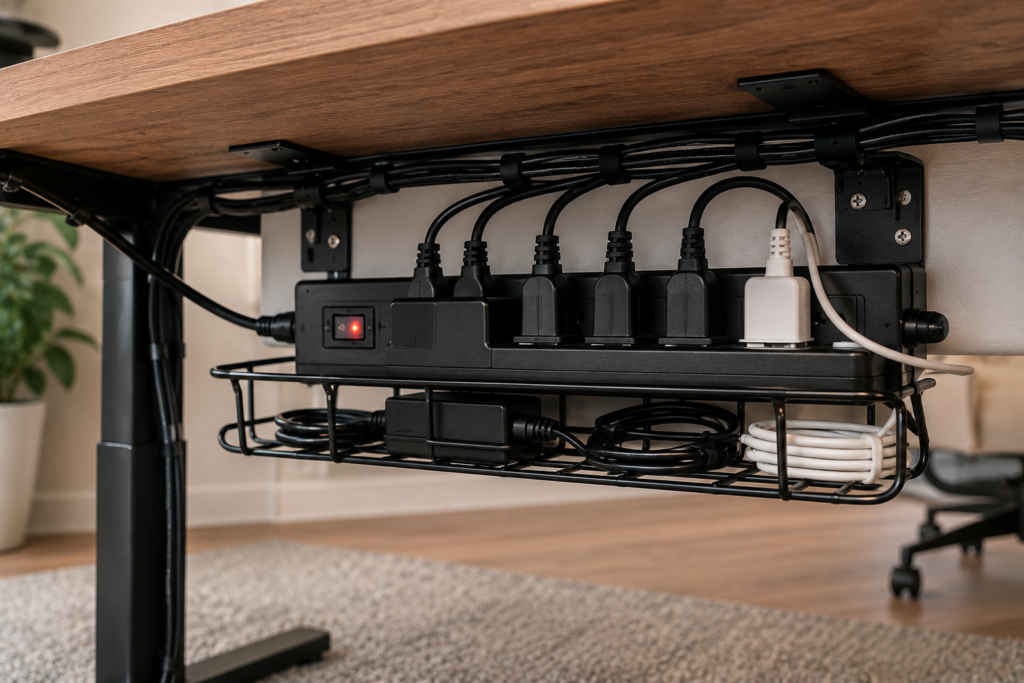
This:
- improves cleanliness,
- reduces dust exposure,
- prevents accidental kicks,
- and frees floor space.
Step 4: Bundle Similar Cables Together
Use:
- Velcro ties,
- cable sleeves,
- reusable wraps,
- or clips
to group similar cables neatly.
Step 5: Route Cables Strategically
Try routing cables:
- behind desk legs,
- along desk frames,
- inside trays,
- or behind furniture.
Avoid leaving cables hanging visibly whenever possible.
Cable Management Tips for Standing Desks
Standing desks require additional flexibility because the desk height changes constantly.
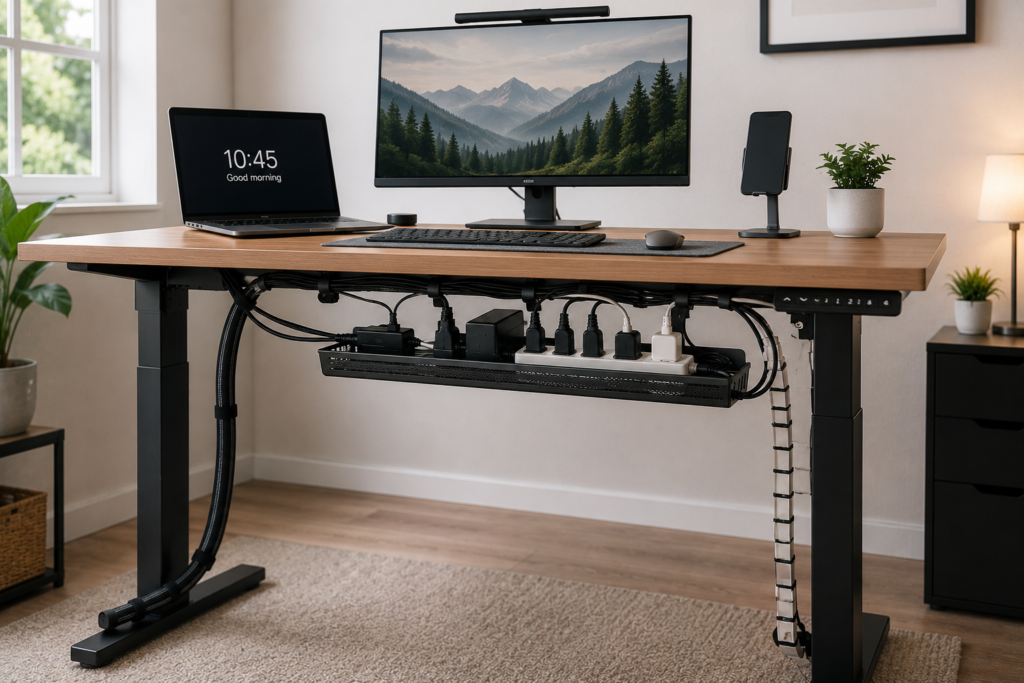
Helpful solutions include:
- flexible cable sleeves,
- longer charging cables,
- mounted cable trays,
- slack management loops.
Always leave enough cable flexibility for smooth desk movement.
How to Reduce Visible Cable Clutter
Minimal cable visibility makes a workspace feel cleaner instantly.
Helpful strategies include:
- choosing wireless accessories,
- using shorter cables,
- color matching cables with furniture,
- hiding cables behind monitor arms,
- and reducing unnecessary devices.
Even small changes can dramatically improve desk aesthetics.
Safety Tips for Under-Desk Cable Management
Good cable organization also improves safety.
Avoid Overloading Power Strips
Too many high-power devices connected together may create overheating risks.
Keep Liquids Away From Cables
Avoid placing drinks directly above exposed power strips.
Improve Airflow Around Electronics
Cables packed too tightly may trap heat around chargers and adapters.
Replace Damaged Cords
Frayed or damaged wires should be replaced immediately.
Best Cable Management Ideas for Small Home Offices
Small spaces benefit even more from clean cable organization.
Helpful ideas include:
- wall-mounted shelves,
- compact power strips,
- wireless peripherals,
- hidden charging stations,
- vertical cable routing,
- floating desks.
Reducing visible clutter helps small offices feel larger and cleaner.
Common Cable Management Mistakes
Avoid these common errors:
Leaving Power Strips on the Floor
This increases dust buildup and creates visual clutter.
Using Too Many Cable Ties
Over-tightening cables may damage wires over time.
Ignoring Future Accessibility
Always organize cables so devices remain easy to unplug later.
Mixing Data and Power Cables Randomly
Separating cables often improves organization and troubleshooting.
Never Cleaning Behind the Desk
Dust buildup becomes worse over time.
How to Maintain an Organized Cable Setup
Cable management requires occasional maintenance.
Simple habits include:
- dusting monthly,
- checking loose cables,
- reorganizing after adding devices,
- removing unused chargers,
- replacing damaged accessories.
Small maintenance habits prevent clutter from returning.
Final Thoughts
Under-desk cable management is one of the easiest ways to improve a home office setup.
A cleaner workspace helps:
- reduce distractions,
- improve productivity,
- simplify cleaning,
- and create a more professional environment.
The best results usually come from combining:
- cable trays,
- sleeves,
- clips,
- strategic routing,
- and regular maintenance.
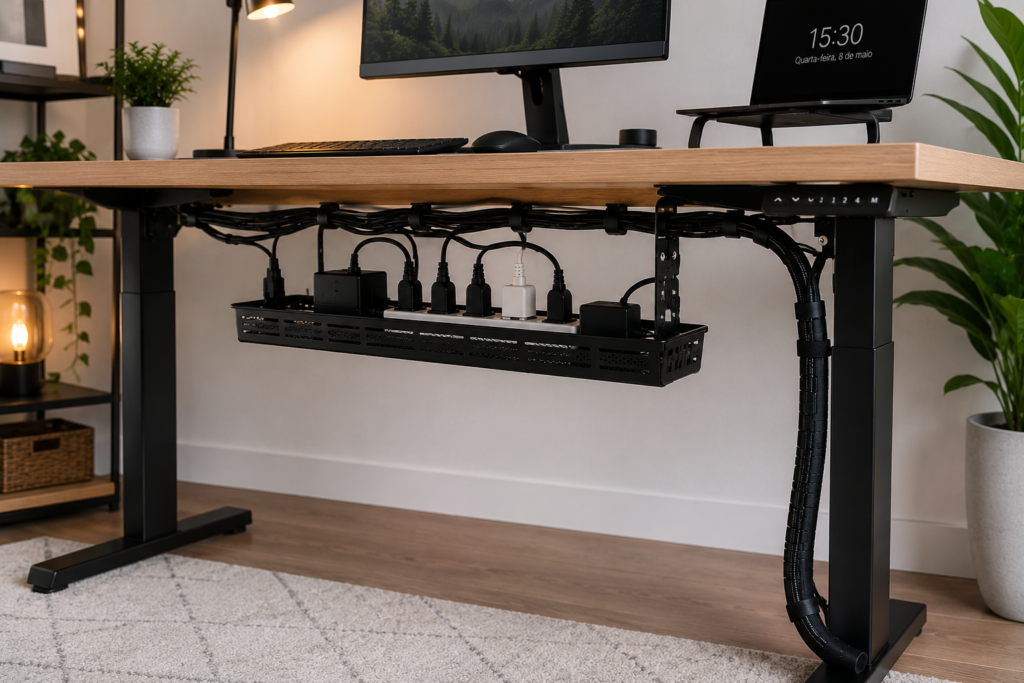
Even a few small improvements can completely transform how organized a workspace feels.
Quick Summary
- Use under-desk cable trays to hide power strips and adapters
- Bundle wires using cable sleeves or Velcro ties
- Keep charging cables secured with cable clips
- Route wires along desk frames for a cleaner appearance
- Mount power strips underneath the desk
- Improve airflow around electronics
- Avoid overloading outlets
- Maintain organization regularly
With the right under-desk cable management setup, any home office can feel cleaner, safer, and far more organized.