

Modern setups are becoming cleaner, smarter, and more minimalist than ever before.
Whether you are building:
- a home office,
- gaming setup,
- entertainment center,
- study desk,
- or bedroom workstation,
one major question eventually appears:
Should you choose a wireless setup or a wired setup?
Both options have advantages and disadvantages when it comes to:
- cable management,
- organization,
- aesthetics,
- performance,
- maintenance,
- and productivity.
Some people prefer wireless devices for their cleaner appearance and flexibility.
Others prefer wired setups for reliability, speed, and lower latency.
The truth is that the best solution depends on:
- your room size,
- device usage,
- workflow,
- budget,
- and organization goals.
In this guide, you’ll learn:
- The differences between wired and wireless setups
- Which option creates a cleaner appearance
- Cable management challenges for each setup
- Productivity and gaming considerations
- Safety and maintenance factors
- Smart organization tips
- How to build a cleaner workspace regardless of setup type
By the end of this article, you’ll know exactly which setup style works best for your space and organization needs.

What Is a Wired Setup?
A wired setup uses physical cables to connect devices.
Common wired devices include:
- keyboards,
- mice,
- monitors,
- Ethernet connections,
- speakers,
- and charging systems.
Wired setups are often preferred for:
- gaming,
- professional editing,
- streaming,
- and high-performance workstations.
What Is a Wireless Setup?
Wireless setups use technologies such as:
- Bluetooth,
- Wi-Fi,
- wireless charging,
- and wireless peripherals.
Common wireless devices include:
- wireless keyboards,
- wireless mice,
- Bluetooth headphones,
- wireless chargers,
- and smart home devices.
Wireless setups are popular because they reduce visible cable clutter significantly.
Which Setup Looks Cleaner?
From a visual perspective, wireless setups usually appear cleaner.
Fewer visible cables create:
- simpler layouts,
- minimalist aesthetics,
- and easier desk organization.
Wireless setups often help rooms feel:
- larger,
- calmer,
- and more modern.
However, wireless does not automatically mean clutter-free.
Many wireless devices still require:
- charging cables,
- docking stations,
- adapters,
- and hidden power systems.
A poorly managed wireless setup can still become messy.
Advantages of Wireless Setups
1. Reduced Visible Cable Clutter
This is the biggest advantage of wireless setups.
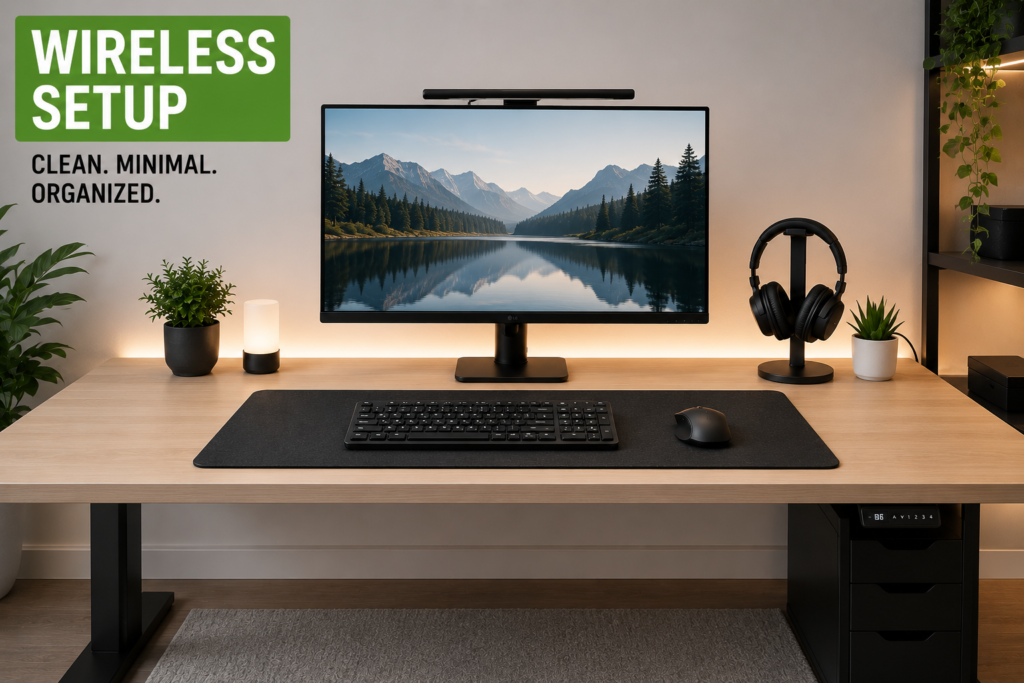
Removing multiple visible cables dramatically improves:
- desk appearance,
- room aesthetics,
- and cleaning convenience.
2. Better Flexibility
Wireless accessories are easier to move and rearrange.
This is especially useful in:
- small bedrooms,
- apartments,
- and multi-purpose spaces.
3. Cleaner Minimalist Design
Minimalist setups benefit greatly from fewer cables.
Wireless setups help create:
- clean desks,
- modern layouts,
- and open visual space.
4. Easier Desk Cleaning
Fewer wires make:
- dusting,
- vacuuming,
- and desk maintenance
much easier.
Disadvantages of Wireless Setups
Wireless setups also have limitations.
Battery Management
Wireless devices require charging.
This may create:
- charging clutter,
- battery anxiety,
- and cable accumulation near charging stations.
Higher Cost
Wireless accessories are often more expensive than wired alternatives.
Latency and Performance Limitations
Some wireless devices may introduce:
- input lag,
- signal interruptions,
- or reduced responsiveness.
This matters most for:
- competitive gaming,
- streaming,
- and professional editing.
Signal Interference
Bluetooth and Wi-Fi devices may occasionally experience interference.
Advantages of Wired Setups
Wired setups remain extremely popular for good reasons.
1. Stable Performance
Wired devices usually provide:
- lower latency,
- faster response times,
- and more reliable connections.
2. No Battery Concerns
Wired accessories remain powered continuously.
There is no need for:
- charging schedules,
- docking stations,
- or battery replacement.
3. Better for Competitive Gaming
Professional gamers often prefer wired devices for:
- faster response,
- stable performance,
- and reduced latency.
4. Lower Long-Term Cost
Many wired accessories cost less than wireless alternatives.
Disadvantages of Wired Setups
Cable Clutter
This is the biggest drawback.
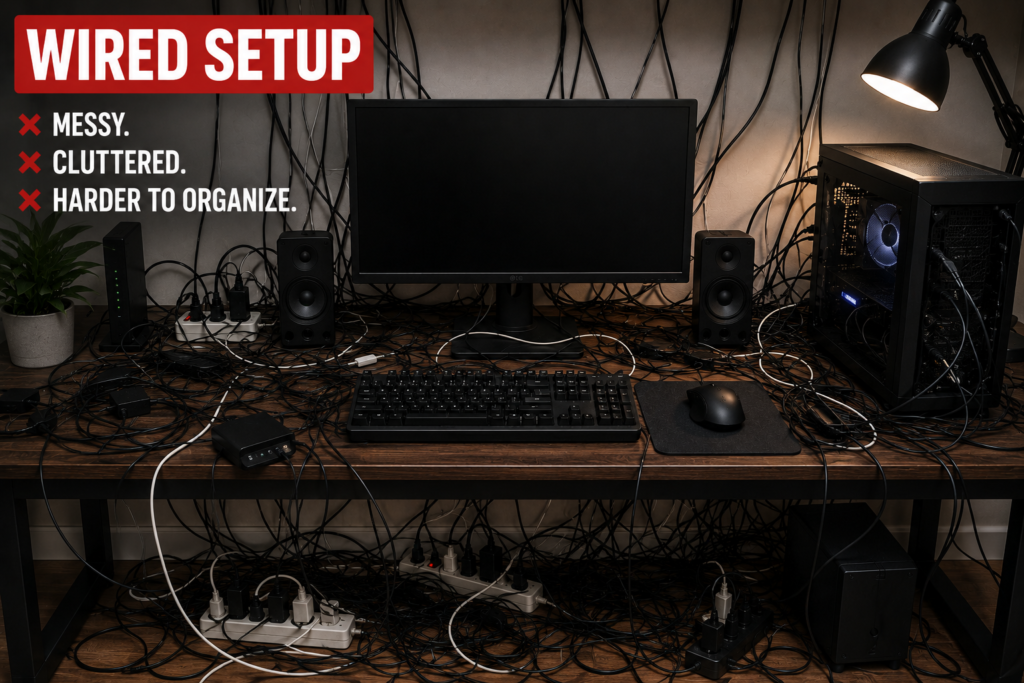
Multiple devices quickly create:
- tangled wires,
- visible clutter,
- and difficult cable routing.
Harder Cleaning
Large cable clusters make cleaning more difficult.
Limited Flexibility
Wired devices have positioning limitations based on cable length.
More Complex Cable Management
Good wired setups require:
- cable trays,
- sleeves,
- clips,
- raceways,
- and hidden power systems.
Which Setup Is Better for Small Spaces?
Wireless setups usually work better in:
- tiny bedrooms,
- apartments,
- dorm rooms,
- and compact desks.

Reducing visible wires helps small rooms feel:
- larger,
- cleaner,
- and less crowded.
However, hybrid setups often work best.
Many people combine:
- wireless peripherals
with - wired monitors and power systems.
This balances performance and organization.
Best Cable Management Tips for Wired Setups
Wired setups can still look extremely clean with proper organization.
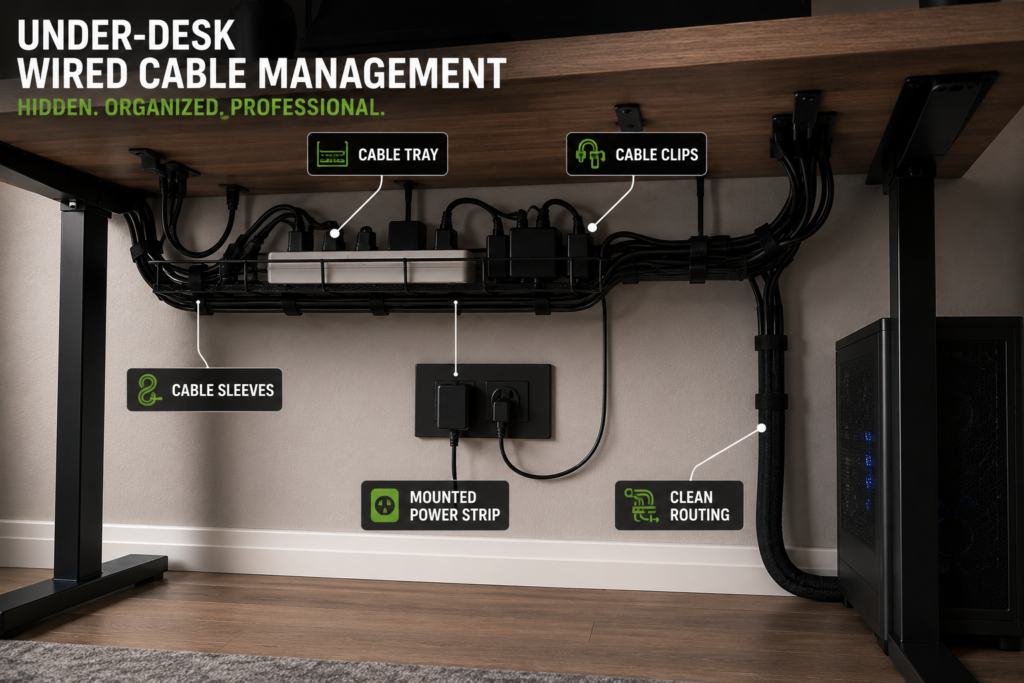
Helpful strategies include:
- under-desk cable trays,
- cable sleeves,
- mounted power strips,
- monitor arms,
- and adhesive cable clips.
Grouping cables together improves visual organization dramatically.
Best Organization Tips for Wireless Setups
Wireless setups still require organization.
Helpful wireless setup tips include:
- creating dedicated charging stations,
- hiding charging docks,
- organizing charging cables,
- and reducing unnecessary accessories.
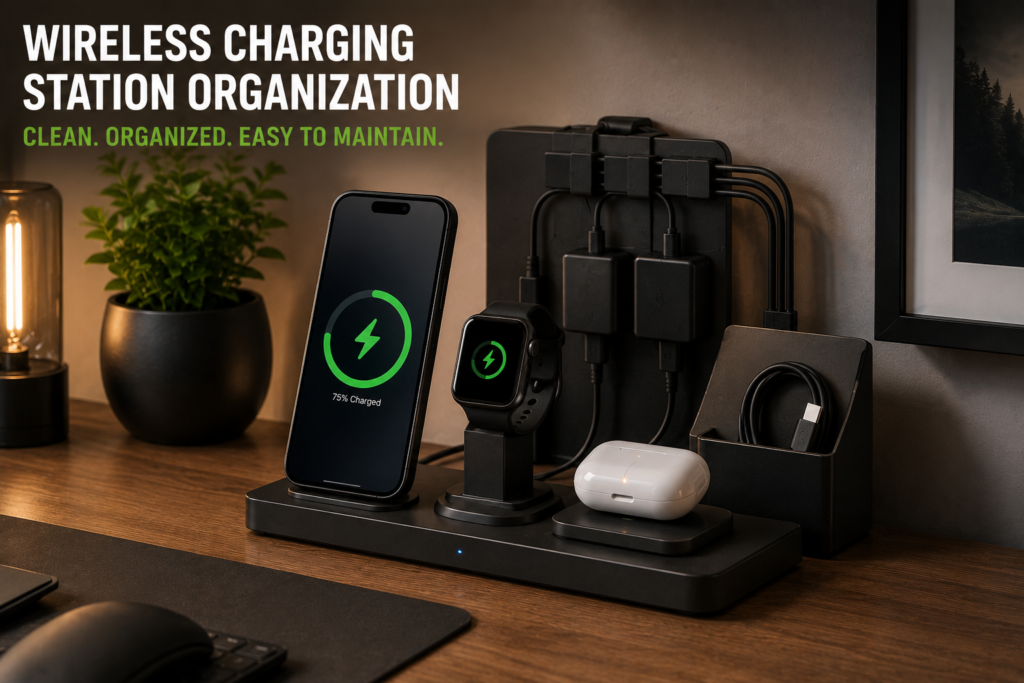
Without organization, charging clutter quickly replaces cable clutter.
Hybrid Setups: The Best of Both Worlds?
Hybrid setups combine:
- wireless convenience
with - wired performance.
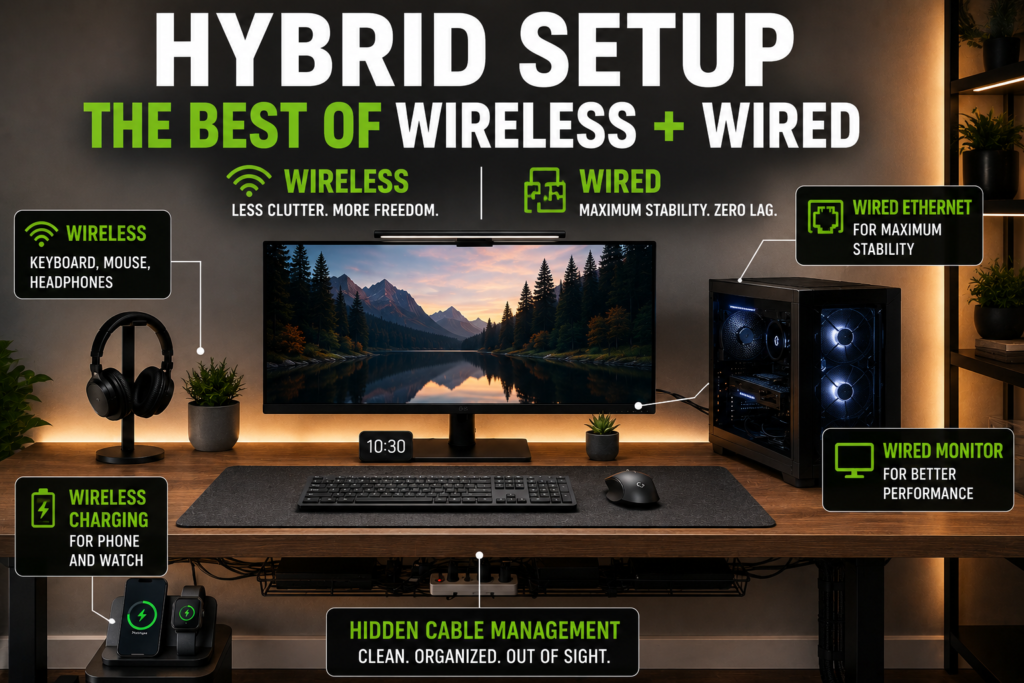
A hybrid setup may include:
- wireless keyboard,
- wireless mouse,
- wired monitor,
- wired Ethernet,
- and hidden charging stations.
This is one of the most popular modern setup styles because it balances:
- aesthetics,
- speed,
- flexibility,
- and organization.
Which Setup Is Better for Productivity?
The answer depends on your workflow.
Wireless setups may improve:
- visual calmness,
- desk flexibility,
- and workspace simplicity.
Wired setups may improve:
- reliability,
- consistency,
- and performance-heavy tasks.
Many professionals choose hybrid systems for maximum efficiency.
Which Setup Is Easier to Maintain?
Wireless setups often require:
- battery monitoring,
- charging routines,
- and device pairing.
Wired setups require:
- cable maintenance,
- cleaning,
- and routing adjustments.
Both systems require organization habits to remain clean long term.
Minimalist Setup Recommendations
If your main goal is aesthetics and organization:
- prioritize wireless peripherals,
- hide charging systems,
- use mounted accessories,
- and simplify desk layouts.
Minimalism focuses on reducing visible distractions.
Final Thoughts
Both wired and wireless setups can look clean and professional when organized properly.
Wireless setups usually create:
- cleaner visual layouts,
- minimalist aesthetics,
- and more flexible spaces.
Wired setups usually provide:
- stronger reliability,
- better gaming performance,
- and lower latency.
For most people, hybrid setups offer the best balance between:
- organization,
- performance,
- and convenience.
The key is not simply choosing wireless or wired.
The real goal is building a setup that remains:
- functional,
- organized,

- easy to maintain,
- and visually comfortable.
Quick Summary
Wireless Setup Pros
- Cleaner appearance
- Fewer visible cables
- Better flexibility
- Easier cleaning
Wireless Setup Cons
- Requires charging
- Higher cost
- Possible signal interference
Wired Setup Pros
- Reliable performance
- No batteries required
- Better for gaming
Wired Setup Cons
- More cable clutter
- Harder organization
- Less flexibility
Best Overall Option
Hybrid setups often provide the best balance between clean aesthetics and strong performance.