
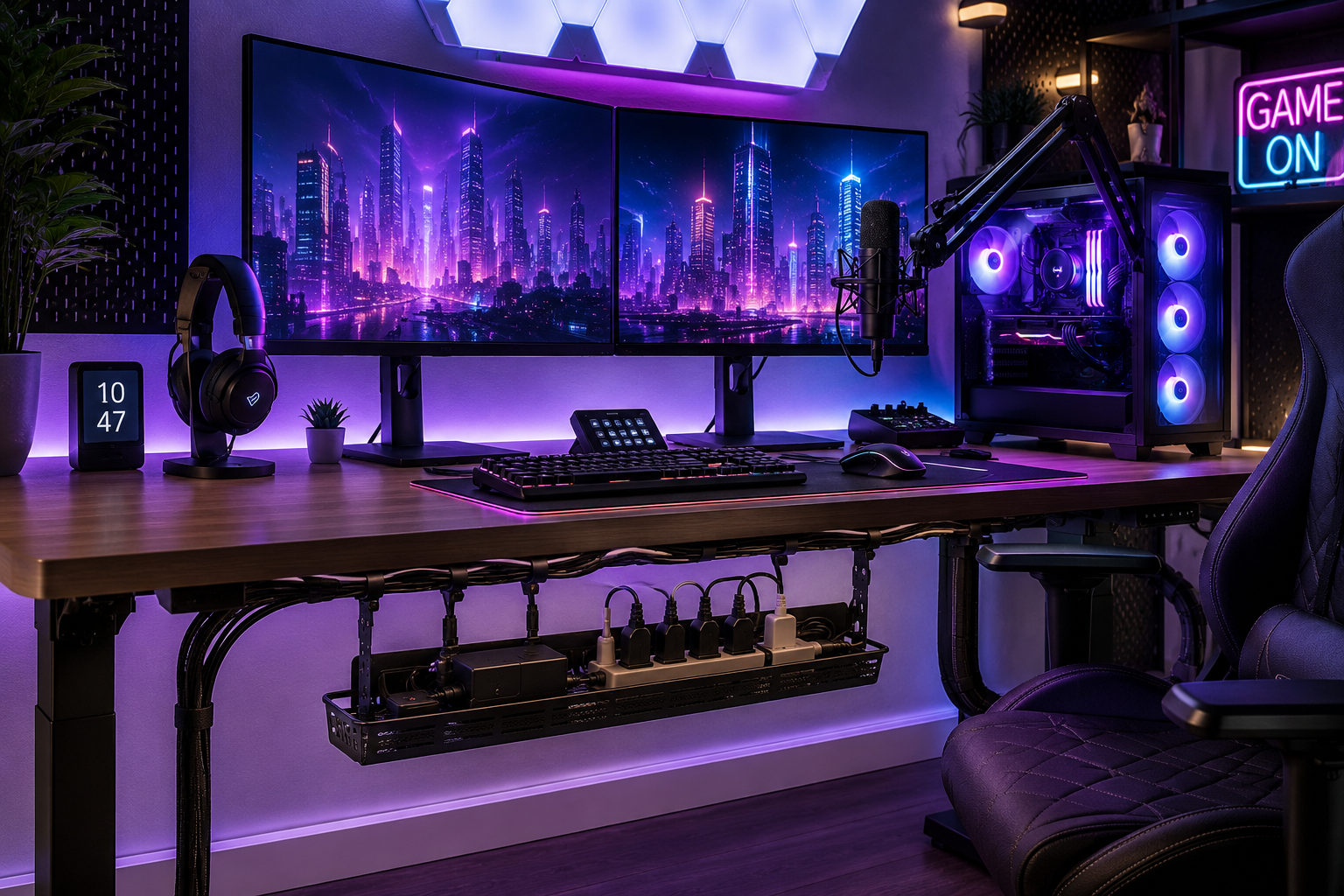
Modern gaming setups often include multiple devices connected at the same time.
A typical gaming desk may contain:
- gaming PCs,
- dual monitors,
- RGB lighting,
- consoles,
- microphones,
- speakers,
- webcams,
- routers,
- charging docks,
- streaming equipment,
- and multiple power adapters.
While these setups can look impressive, unmanaged wires quickly create visual clutter and make the space feel messy.
Messy cables can also:
- collect dust,
- reduce airflow,
- make upgrades difficult,
- increase overheating risks,
- and make cleaning frustrating.
The good news is that gaming cable management can dramatically improve both the appearance and functionality of a setup.
With the right organization strategies, even complex gaming stations can look clean, modern, and professional.
In this guide, you’ll learn:
- Why gaming setups become cluttered so quickly
- The best cable management tools for gamers
- How to organize multiple monitor cables
- Smart RGB cable management tips
- How to hide console and streaming cables
- Common gaming setup mistakes
- Long-term maintenance strategies
By the end of this article, you’ll know exactly how to organize gaming wires cleanly while creating a setup that looks far more professional and easier to maintain.
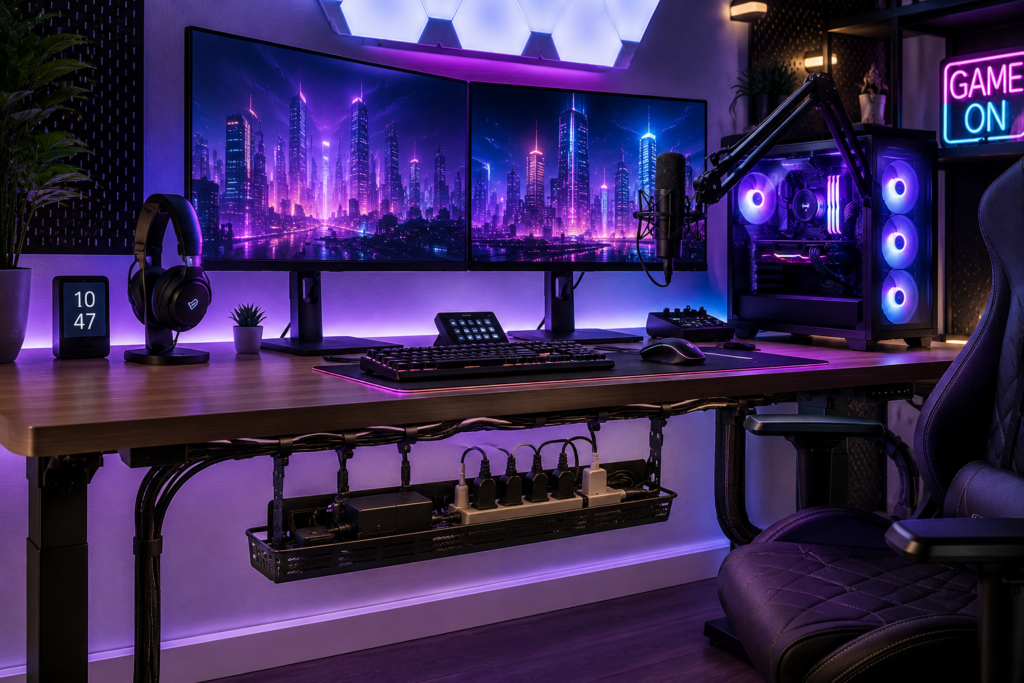
Why Gaming Setups Create So Much Cable Clutter
Gaming setups usually contain more devices than standard office desks.
Many gamers use:
- multiple monitors,
- external lighting,
- gaming consoles,
- capture cards,
- stream decks,
- charging stations,
- and audio equipment.
Each device adds:
- power cables,
- HDMI cords,
- USB cables,
- DisplayPort wires,
- Ethernet cables,
- and adapters.
Without organization, cables quickly become tangled behind and underneath the desk.
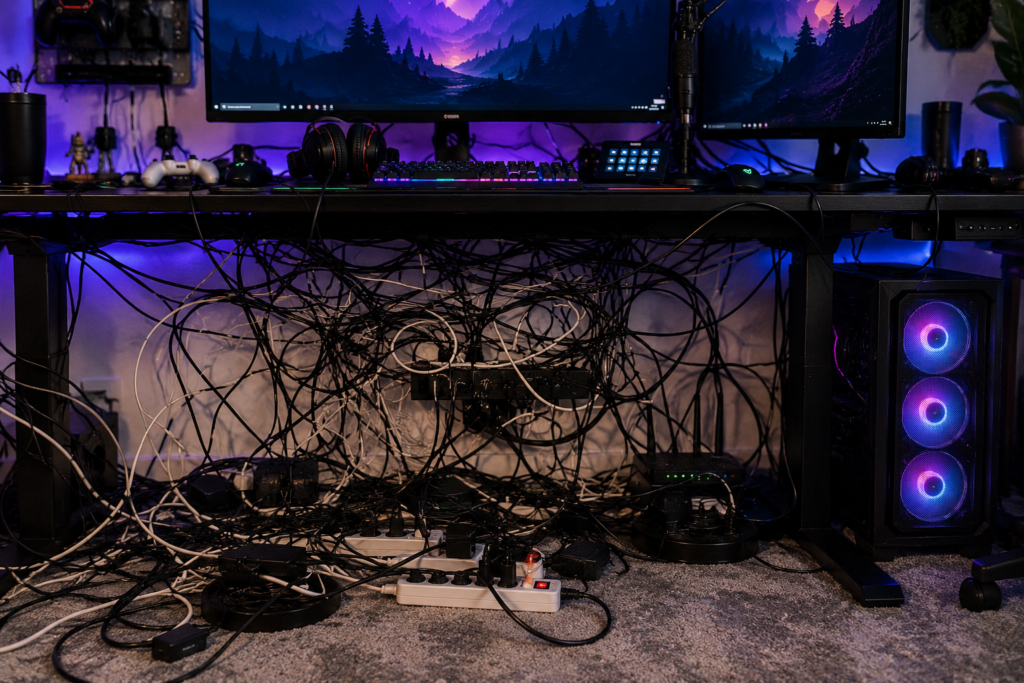
Over time, this creates:
- visual clutter,
- dust buildup,
- poor airflow,
- and difficult troubleshooting.
Why Cable Management Matters for Gaming Setups
Good cable management improves more than just aesthetics.
A cleaner gaming setup can help:
- improve airflow,
- reduce dust buildup,
- simplify upgrades,
- improve cleaning access,
- prevent accidental unplugging,
- and create a more immersive gaming environment.
Many gamers also enjoy showcasing their setup online, where clean cable management significantly improves overall appearance.
Common Gaming Cable Management Problems
RGB Cable Overload
RGB lighting systems often add multiple controllers and power cables.
Multiple Monitor Wires
Dual and triple monitor setups create large clusters of display and power cables.
Console and PC Cable Clutter
Using both consoles and gaming PCs increases cable complexity dramatically.
Streaming Equipment Cables
Microphones, webcams, capture cards, and lighting systems create additional wiring.
Floor Cable Mess
Cables often accumulate underneath desks and around power strips.
Best Cable Management Tools for Gaming Setups
The right accessories can completely transform a gaming station.
1. Under-Desk Cable Trays
Cable trays help hide:
- power strips,
- adapters,
- excess wire length,
- and bundled cables.
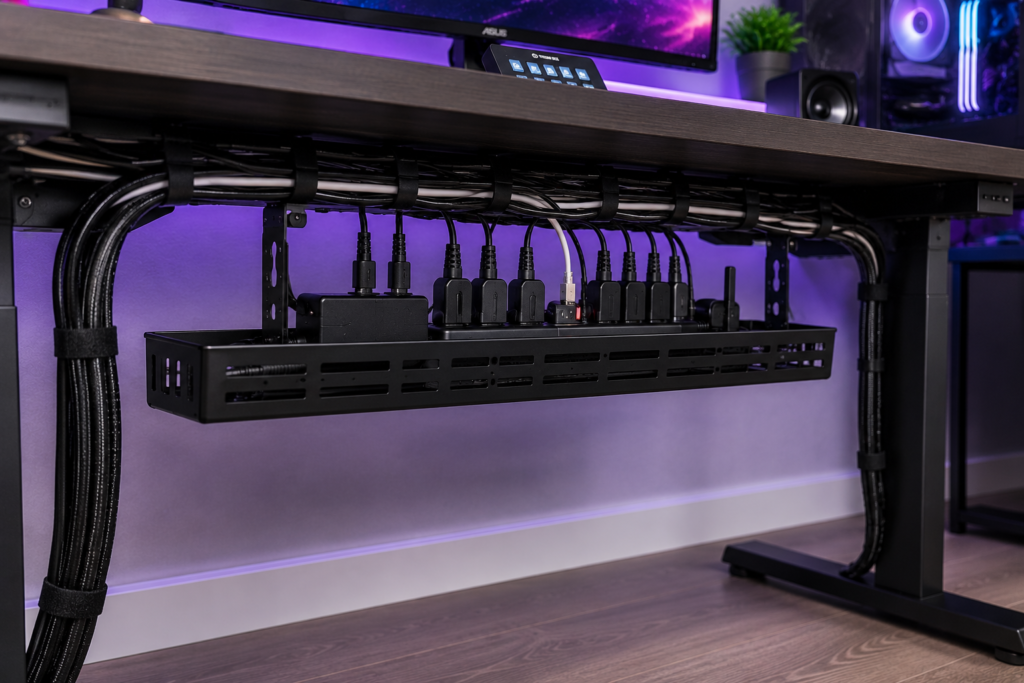
This is one of the most effective upgrades for gaming setups.
Mounted trays also keep cables off the floor, making cleaning easier.
2. Cable Sleeves
Cable sleeves bundle multiple wires together into one organized line.
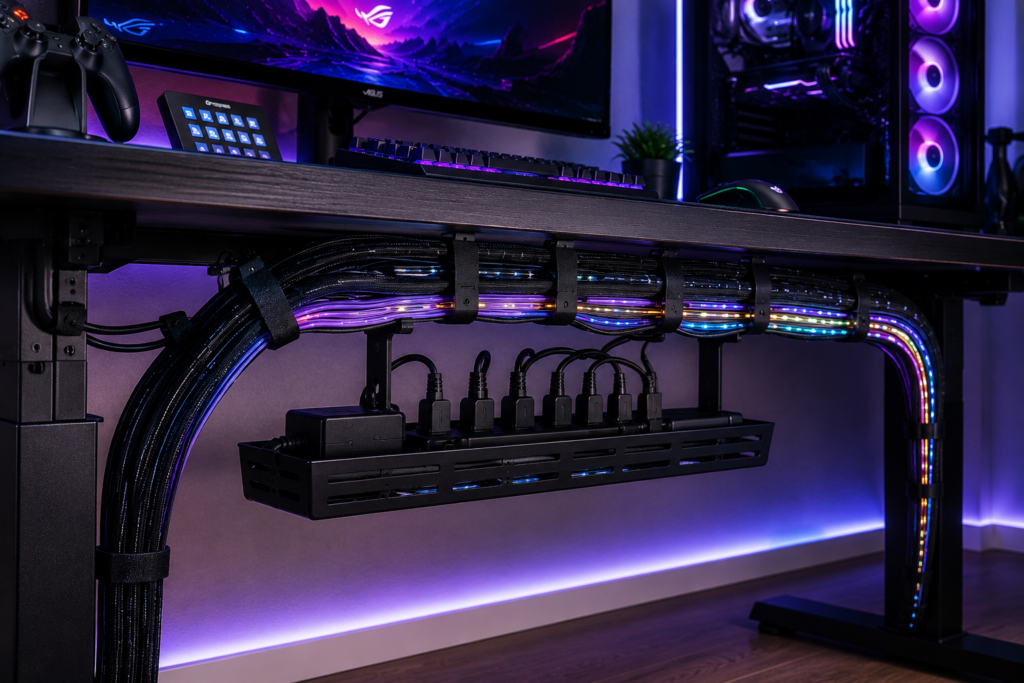
They work especially well for:
- monitor cables,
- RGB lighting wires,
- headset cables,
- and streaming equipment.
Black braided sleeves are especially popular in gaming setups because they match most desk aesthetics.
3. Velcro Cable Ties
Reusable Velcro ties make it easy to:
- secure loose wires,
- adjust setups later,
- and reorganize devices.
They are safer and more flexible than permanent zip ties.
4. Monitor Arm Cable Routing
Many modern monitor arms include built-in cable channels.
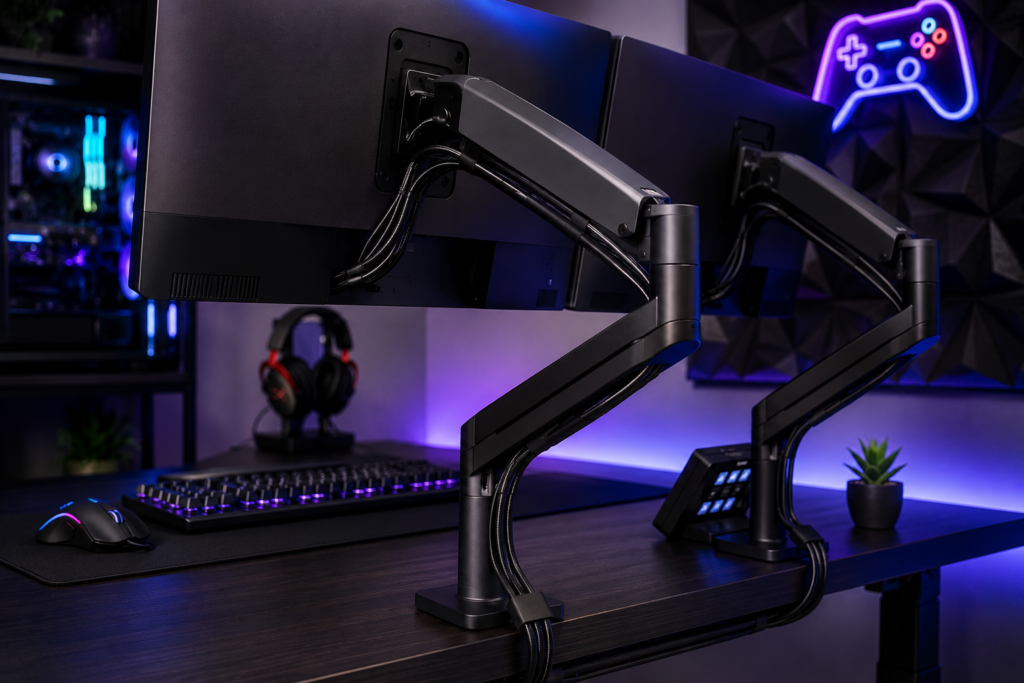
This helps hide:
- HDMI cables,
- DisplayPort wires,
- USB cables,
- and monitor power cords.
Monitor arms instantly improve desk appearance while freeing additional desk space.
5. Cable Management Boxes
Cable boxes hide:
- power strips,
- adapters,
- charging bricks,
- and tangled wire clusters.
They improve both aesthetics and safety.
How to Organize a Gaming Setup Step-by-Step
Step 1: Disconnect Everything
Start by unplugging all devices.
Separate cables into categories:
- power cables,
- display cables,
- USB accessories,
- RGB lighting,
- audio equipment.
This makes organization much easier.
Step 2: Remove Unused Devices
Old chargers, unused consoles, and extra adapters often create unnecessary clutter.
Removing unused equipment instantly improves organization.
Step 3: Mount the Power Strip
Whenever possible, keep power strips elevated underneath the desk.
This:
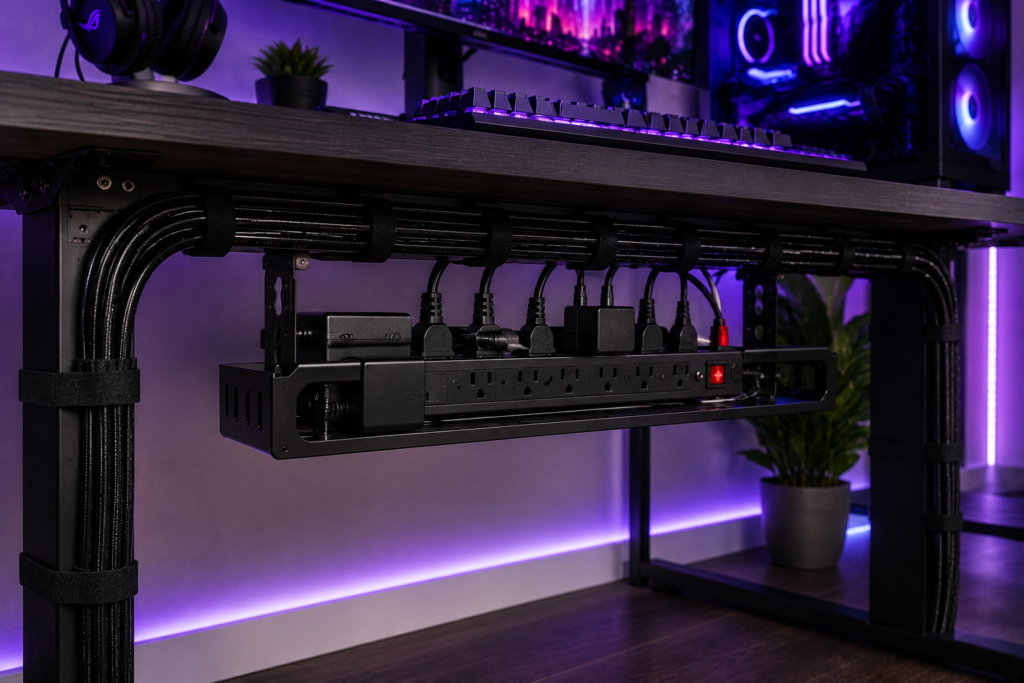
- reduces dust exposure,
- improves airflow,
- frees floor space,
- and improves aesthetics.
Step 4: Bundle Similar Cables Together
Group cables based on function.
Examples:
- monitor cables,
- audio cables,
- USB accessories,
- console wiring.
Cable sleeves and Velcro ties work extremely well here.
Step 5: Route Cables Strategically
Try routing wires:
- behind monitor arms,
- along desk frames,
- through cable trays,
- or behind furniture.
Avoid leaving cables hanging visibly whenever possible.
Best Cable Management Tips for RGB Gaming Setups
RGB setups usually create additional cable complexity.
Helpful strategies include:
- using centralized RGB hubs,
- shortening excess cable length,
- grouping RGB controllers together,
- hiding lighting controllers behind the desk,
- labeling RGB connections.
Keeping RGB systems centralized makes troubleshooting easier later.
Cable Management for Multi-Monitor Gaming Desks
Multiple monitors can create large wire clusters very quickly.
Helpful solutions include:
- dual monitor arms,
- cable sleeves,
- shorter DisplayPort cables,
- mounted power strips,
- under-desk trays.
Monitor arms are especially effective because they hide cables directly inside the arm structure.
Cable Management for Console Gaming Setups
Consoles often create clutter around entertainment centers and gaming desks.
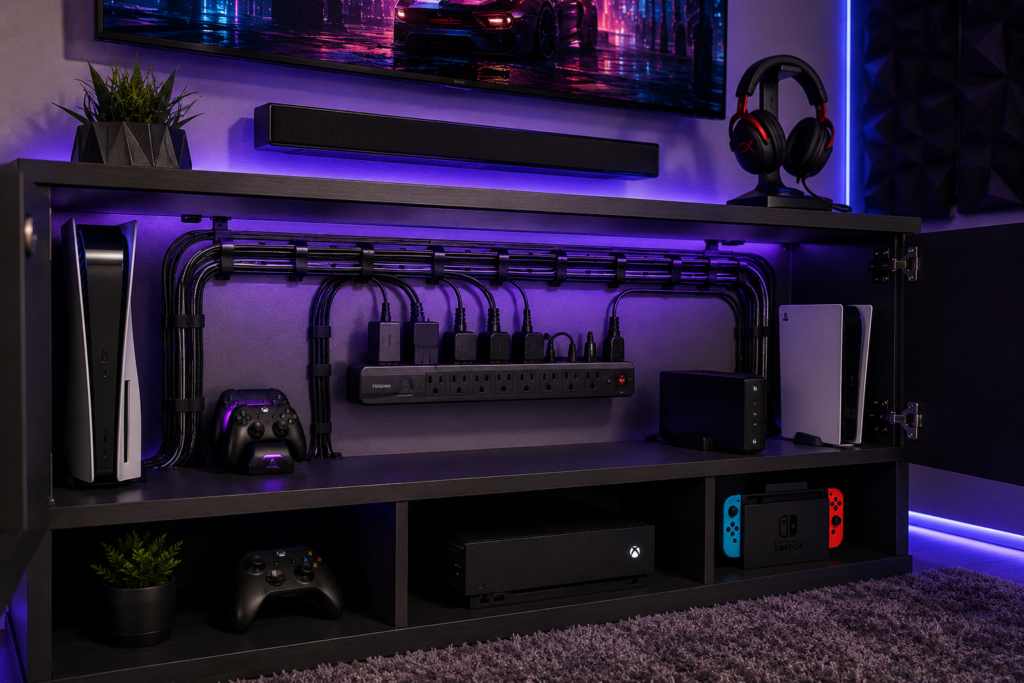
Helpful ideas include:
- placing consoles inside ventilated shelves,
- routing cables behind furniture,
- using adhesive cable channels,
- hiding power strips inside cable boxes.
Always maintain proper airflow around consoles to prevent overheating.
Gaming Setup Safety Tips
Good cable organization also improves safety.
Avoid Overloading Power Strips
Gaming PCs and consoles may draw significant power.
Avoid plugging too many high-power devices into one outlet.
Improve Airflow
Large cable clusters may trap heat around adapters and electronics.
Keep Drinks Away From Power Areas
Avoid placing drinks near exposed cables or power strips.
Replace Damaged Cables
Frayed or damaged gaming cables should be replaced immediately.
How to Keep a Gaming Setup Organized Long-Term
Cable management requires occasional maintenance.
Helpful habits include:
- dusting monthly,
- removing unused accessories,
- reorganizing after upgrades,
- checking cable tension,
- replacing damaged Velcro ties,
- cleaning behind the desk regularly.
Small maintenance habits prevent clutter from returning.
Common Gaming Cable Management Mistakes
Avoid these common problems:
Using Cables That Are Too Long
Excess wire length creates unnecessary clutter.
Ignoring Cable Labels
Unlabeled cables make troubleshooting frustrating later.
Leaving Power Bricks on the Floor
This increases dust buildup and reduces airflow.
Overusing Zip Ties
Permanent zip ties make upgrades difficult.
Blocking Console Ventilation
Poor airflow may increase overheating risks.
Minimalist Gaming Setup Ideas
Many gamers now prefer cleaner, more minimal desk aesthetics.
Helpful ideas include:
- wireless peripherals,
- monitor arms,
- hidden RGB hubs,
- floating shelves,
- wall-mounted consoles,
- under-desk trays,
- compact charging stations.
Reducing visible clutter helps gaming setups feel larger and more immersive.
Final Thoughts
Gaming setups naturally involve many cables and electronic devices, but proper organization can dramatically improve both functionality and appearance.
A clean setup helps:
- improve airflow,
- reduce dust,
- simplify maintenance,
- and create a far more professional-looking gaming environment.
The best cable management setups usually combine:
- cable trays,
- sleeves,
- monitor arms,
- Velcro ties,
- strategic routing,
- and regular maintenance.
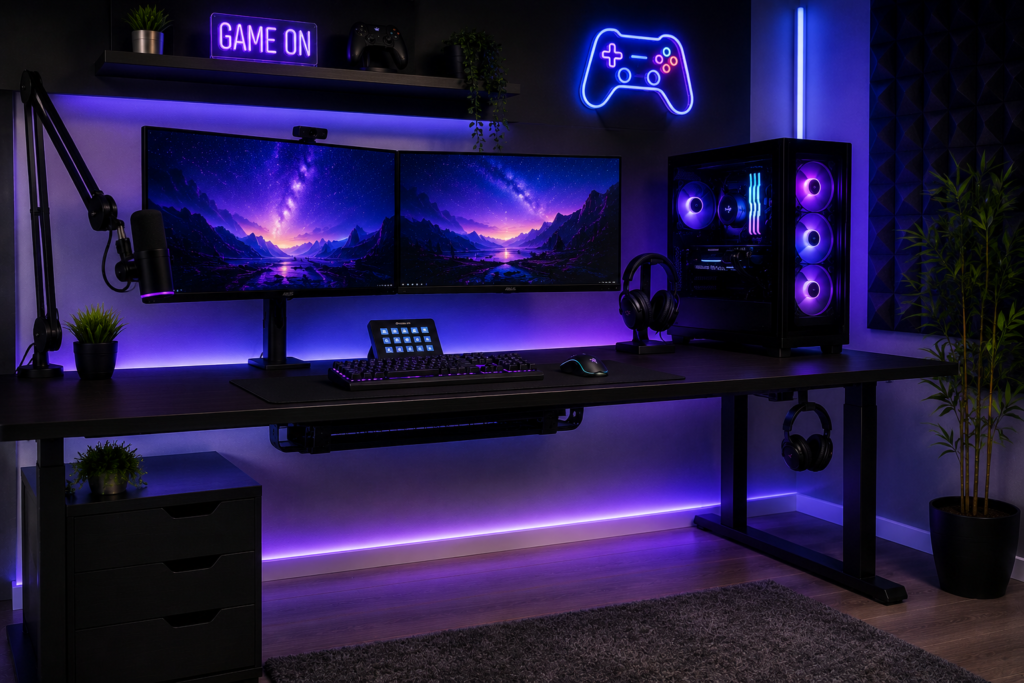
Even small upgrades can completely transform how organized a gaming setup feels.
Quick Summary
- Use under-desk cable trays to hide power strips and adapters
- Bundle wires using cable sleeves and Velcro ties
- Route monitor cables through monitor arms
- Hide RGB controllers behind the desk
- Keep power strips elevated off the floor
- Improve airflow around consoles and PCs
- Label important gaming cables
- Maintain organization regularly
With the right cable management setup, any gaming station can look cleaner, safer, and significantly more professional.