
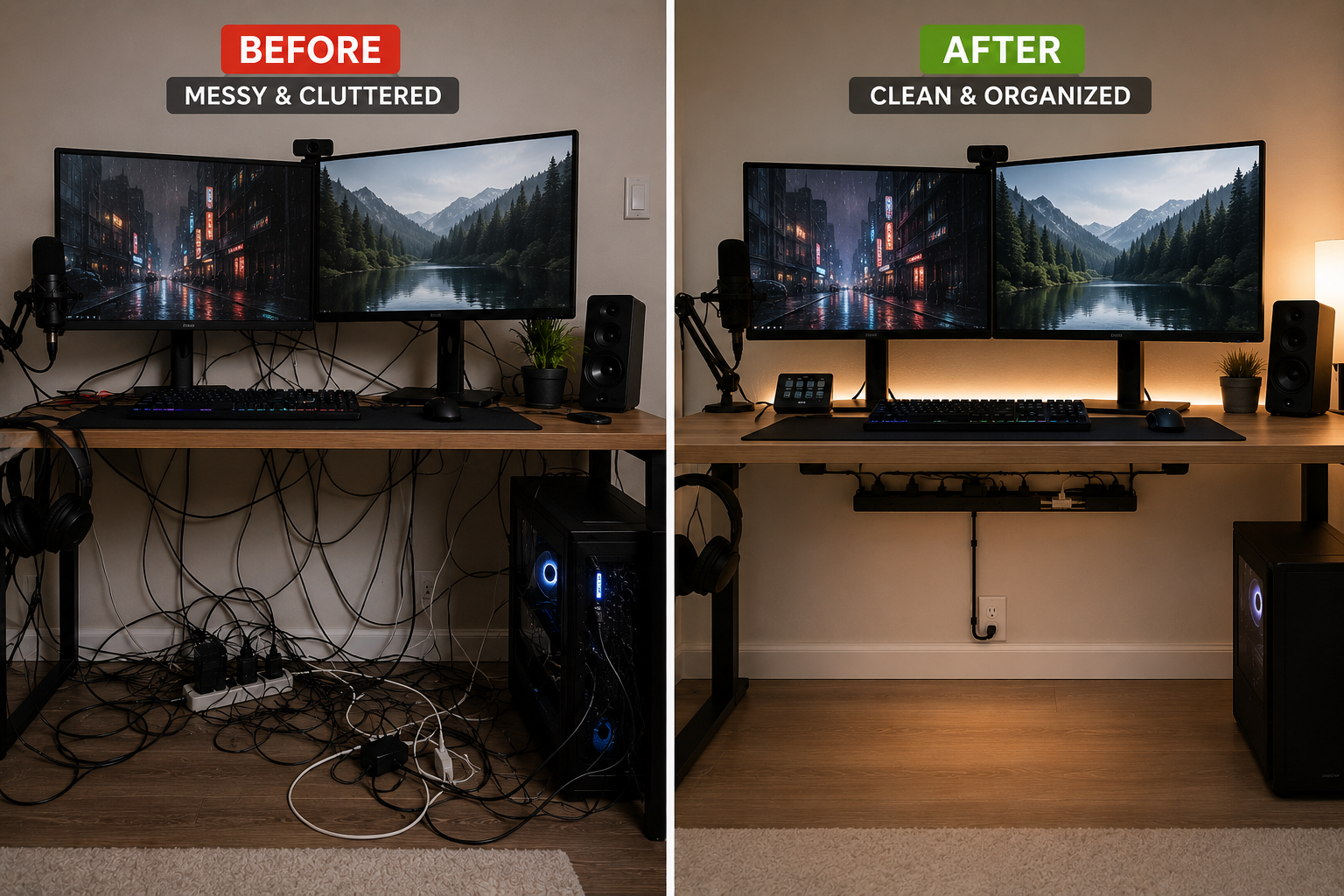
Even expensive desks, gaming setups, and home offices can look cluttered when cable management is ignored.
Messy wires instantly reduce the visual quality of a room and can make a setup feel:
- disorganized,
- stressful,
- crowded,
- and difficult to maintain.
Many people buy premium furniture, monitors, and accessories but overlook one critical detail:
proper cable organization.
The good news is that most cable management problems are easy to fix once you understand the common mistakes causing the clutter.
In this guide, you’ll learn:
- The biggest cable management mistakes people make
- Why setups start looking messy over time
- How to improve cable organization quickly
- The best cable management habits
- Smart solutions for desks, bedrooms, and gaming setups
- Safety mistakes to avoid
- How to maintain a cleaner setup long term
By the end of this article, you’ll know exactly what makes setups look messy — and how to create a cleaner, more organized space.
Why Cable Management Matters
Cable management affects more than aesthetics.
Poor cable organization may:
- collect dust faster,
- block airflow,
- create tripping hazards,
- increase stress during cleaning,
- and make rooms feel smaller.
Clean cable routing improves:
- organization,
- productivity,
- maintenance,
- safety,
- and visual comfort.
Even small cable improvements can dramatically change how a setup looks and feels.
The Most Common Cable Management Mistakes
1. Leaving Excess Cable Length Visible
One of the most common mistakes is allowing large loops of extra cable to remain exposed.
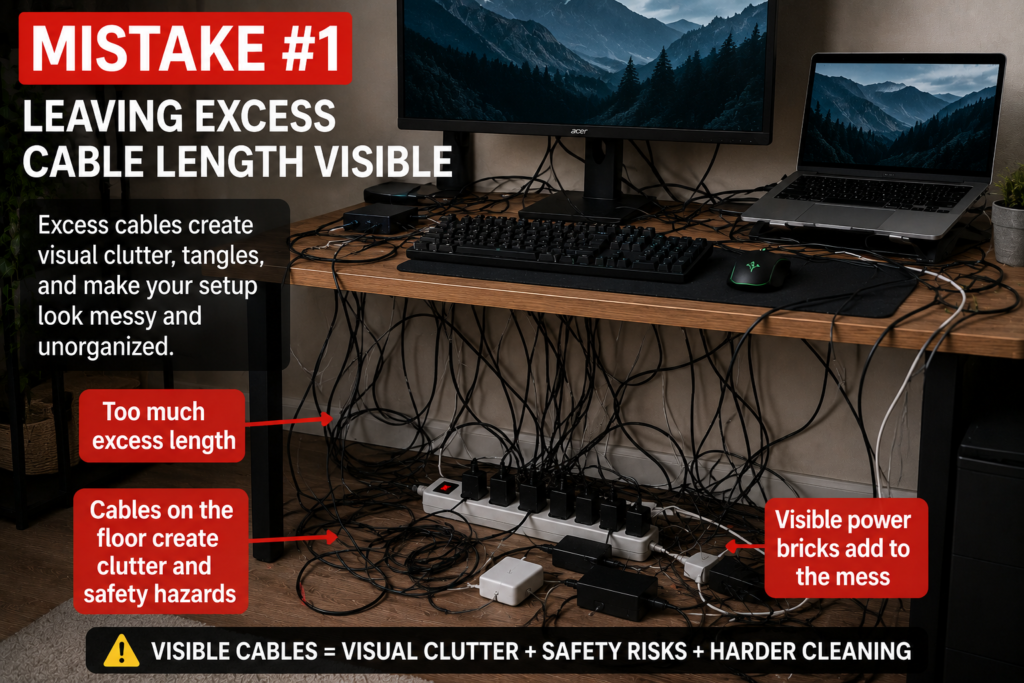
Excess cable creates:
- visual clutter,
- tangled wires,
- and disorganized layouts.
Many devices ship with cables longer than necessary.
The best solution is to:
- bundle excess length,
- use cable sleeves,
- or hide extra cable behind furniture or under desks.
2. Ignoring Under-Desk Cable Clutter
Many setups look clean from the front but hide a massive cable mess underneath.
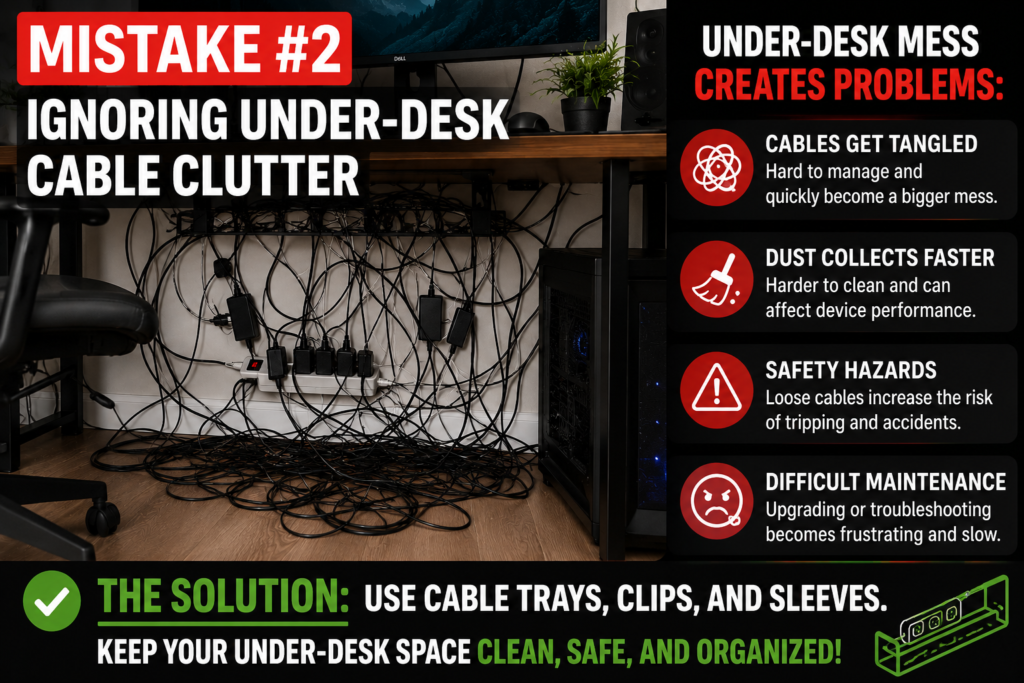
Under-desk clutter often includes:
- power strips,
- charging bricks,
- adapters,
- monitor cables,
- and extension cords.
Without organization, cables quickly become tangled and difficult to maintain.
Under-desk cable trays are one of the best solutions for fixing this problem.
3. Letting Charging Cables Fall Everywhere
Loose phone and laptop chargers instantly make desks and nightstands feel messy.
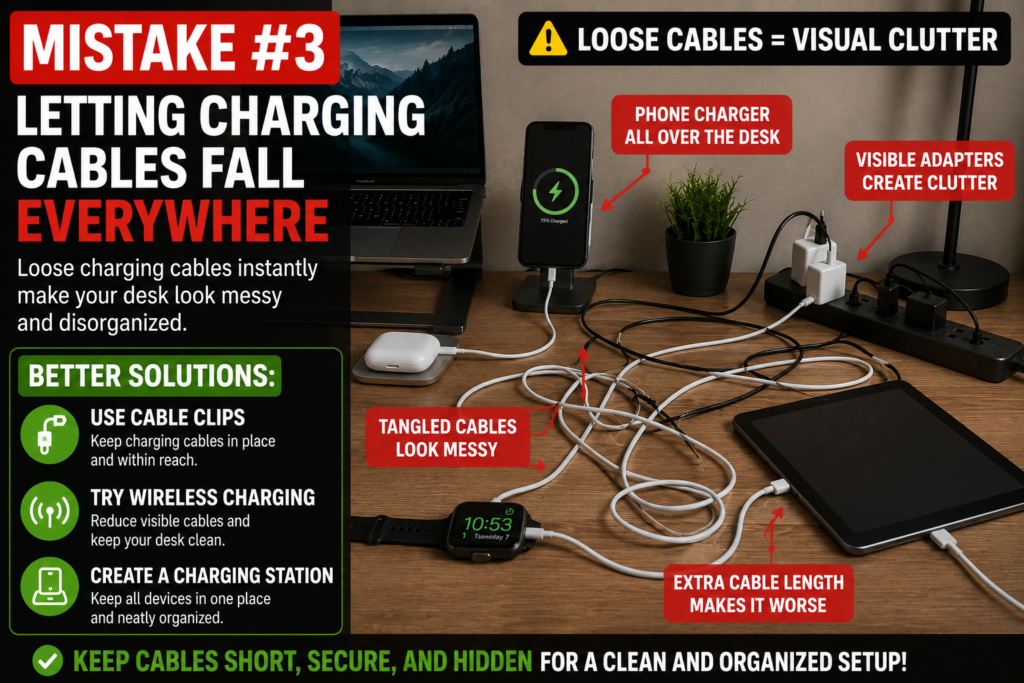
Cable clips help keep:
- charging cords,
- USB cables,
- and headphone wires
organized and accessible.
Wireless charging systems can also reduce visible clutter significantly.
4. Using Too Many Visible Power Strips
Power strips placed openly on floors or desks often become visual distractions.
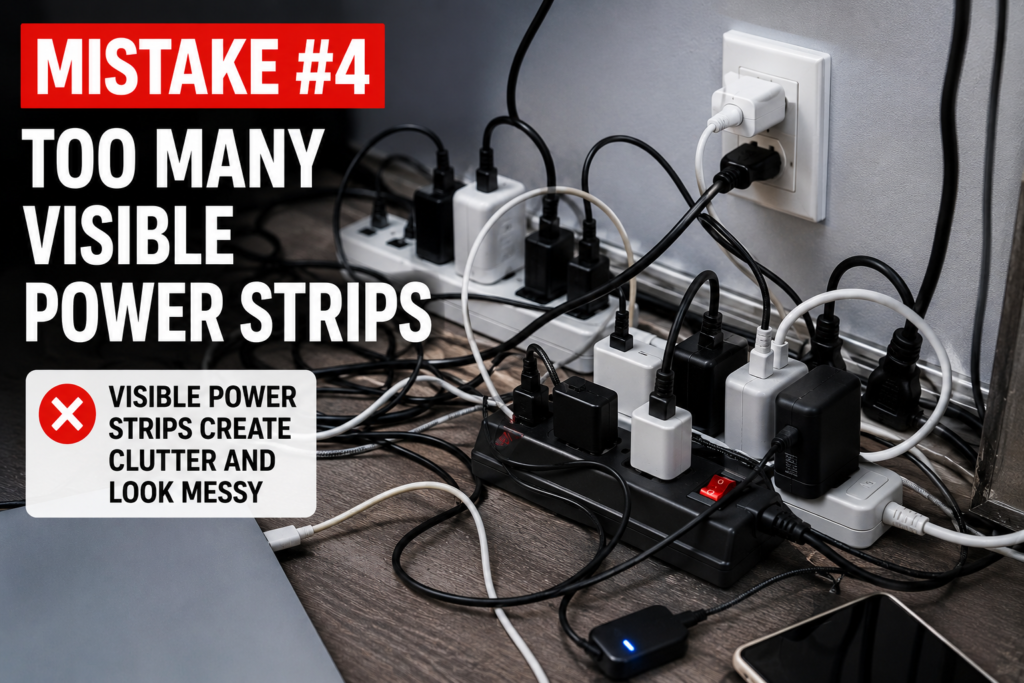
Visible power strips also:
- attract dust,
- increase clutter,
- and create unsafe cable routing.
Cable management boxes help hide:
- adapters,
- extension cords,
- and surge protectors safely.
5. Poor Cable Routing
Random cable placement creates visual chaos quickly.
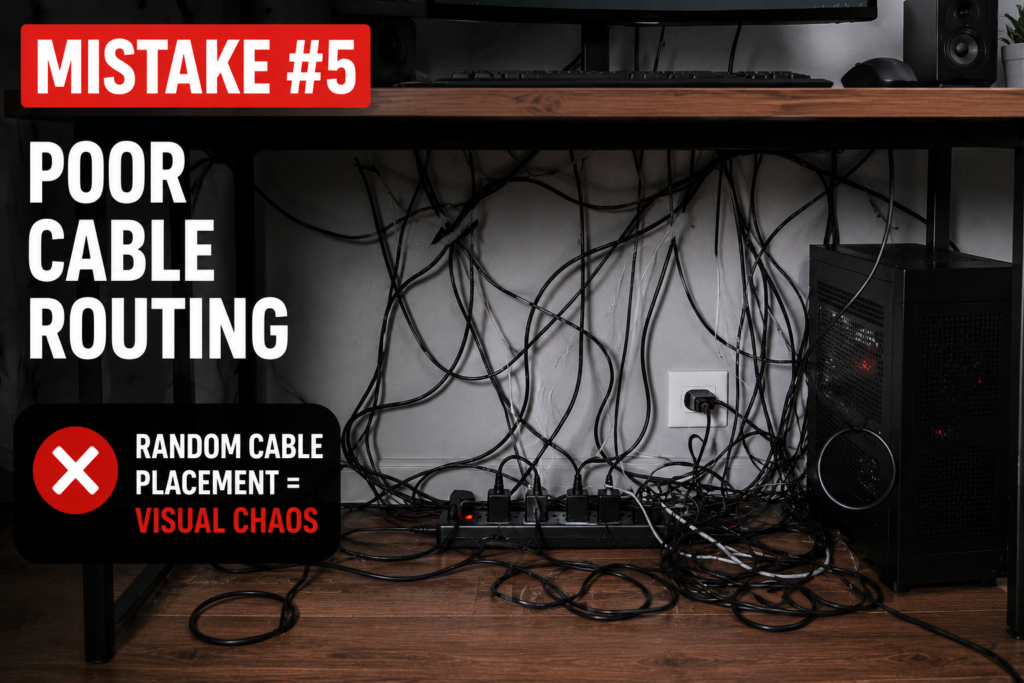
Cables running:
- across floors,
- behind chairs,
- or hanging from desks
make setups appear unorganized.
Good cable routing uses:
- raceways,
- clips,
- trays,
- and sleeves
to guide wires cleanly.
6. Mixing Too Many Cable Types Together
Monitor cables, charging wires, Ethernet cables, and power cords often become tangled together.
Grouping cables by purpose improves organization dramatically.
Helpful strategies include:
- labeling cables,
- separating power and data cables,
- and using sleeves for grouped wires.
7. Ignoring Wall Cable Management
Mounted TVs and wall setups often look messy because cables remain exposed.
Adhesive cable raceways create a cleaner appearance without damaging walls.
They are especially useful for:
- apartments,
- bedrooms,
- and entertainment centers.
8. Overloading Small Spaces With Electronics
Too many devices in compact rooms create overwhelming cable clutter.
Small spaces benefit from:
- wireless accessories,
- minimalist setups,
- and reducing unused electronics.
Simplifying the setup often improves organization more than buying additional accessories.
9. Forgetting About Airflow
Cables bundled too tightly around electronics may trap heat.
Proper airflow helps:
- improve device lifespan,
- reduce overheating,
- and improve safety.
Always leave enough ventilation around:
- gaming consoles,
- routers,
- PCs,
- and power strips.
10. Using Cheap or Weak Cable Accessories
Low-quality clips and weak adhesive products often fail over time.
Falling cables quickly make setups look messy again.
Investing in reliable accessories usually creates longer-lasting organization.
Best Cable Management Solutions
Fixing cable clutter does not require expensive renovations.
Simple tools often solve most organization problems.
Cable Sleeves
Bundle multiple cables into one cleaner line.
Under-Desk Cable Trays
Hide:
- power strips,
- adapters,
- and excess cables.
Cable Clips
Perfect for charging cords and desk organization.
Cable Management Boxes
Improve both safety and aesthetics.
Adhesive Cable Raceways
Excellent for wall cable routing.
Velcro Cable Ties
Help organize cables without damaging them.
Cable Management Tips for Different Rooms
Different spaces require different approaches.
Home Office
Focus on:
- under-desk organization,
- monitor cable routing,
- and hidden power strips.
Bedroom
Prioritize:
- bedside charging stations,
- hidden cords,
- and wireless accessories.
Gaming Setup
Gaming setups often require:
- advanced cable routing,
- airflow management,
- and organized power systems.
Living Room
TV cable management strongly affects room appearance.
Minimalist Cable Management Strategies
Minimalism reduces visual clutter significantly.
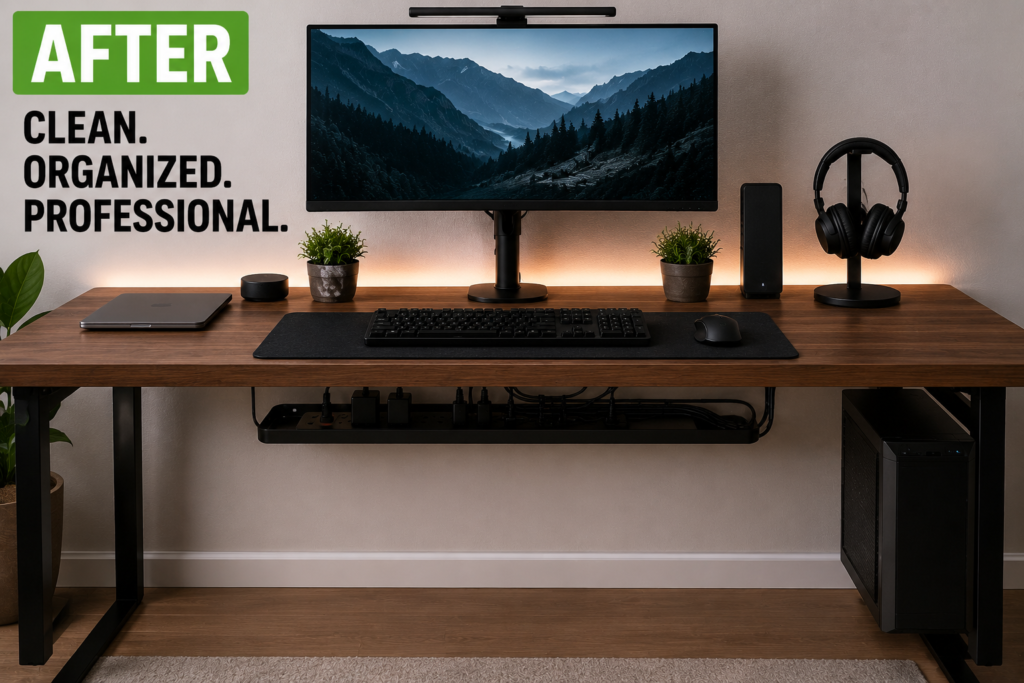
Helpful minimalist ideas include:
- reducing unused electronics,
- hiding cables whenever possible,
- using wireless devices,
- and simplifying layouts.
Clean setups often feel calmer and more productive.
How to Maintain a Clean Setup
Cable organization requires regular maintenance.
Helpful habits include:
- dusting regularly,
- checking loose cables,
- reorganizing after upgrades,
- replacing damaged accessories,
- and removing unused chargers.
Small maintenance habits prevent clutter from returning.
Why Clean Setups Improve Productivity
Many people underestimate how strongly visual clutter affects focus.
Cleaner setups may help:
- reduce distractions,
- improve concentration,
- simplify cleaning,
- and create calmer environments.
This is especially important for:
- remote workers,
- students,
- gamers,
- and content creators.
Final Thoughts
Most messy setups are not caused by too many devices.
They are usually caused by:
- poor cable routing,
- visible clutter,
- and inconsistent organization habits.
The best cable management systems combine:
- hidden cable routing,
- smart storage,
- organized charging systems,
- airflow awareness,
- and regular maintenance.
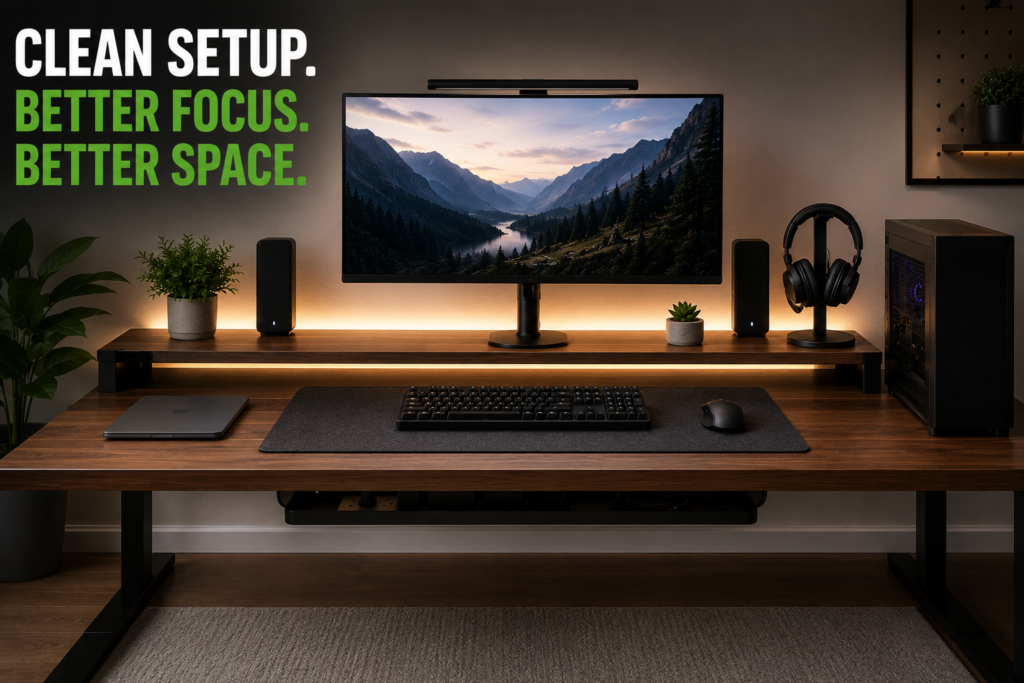
Even small changes can dramatically improve how clean and professional a setup looks.
Quick Summary
- Hide excess cable length
- Organize under-desk wires
- Use cable clips for chargers
- Hide power strips with cable boxes
- Improve wall cable routing
- Avoid overcrowding small spaces
- Maintain airflow around electronics
- Use high-quality cable accessories
- Clean and reorganize regularly
With the right cable management habits, almost any setup can feel cleaner, safer, and more visually organized.